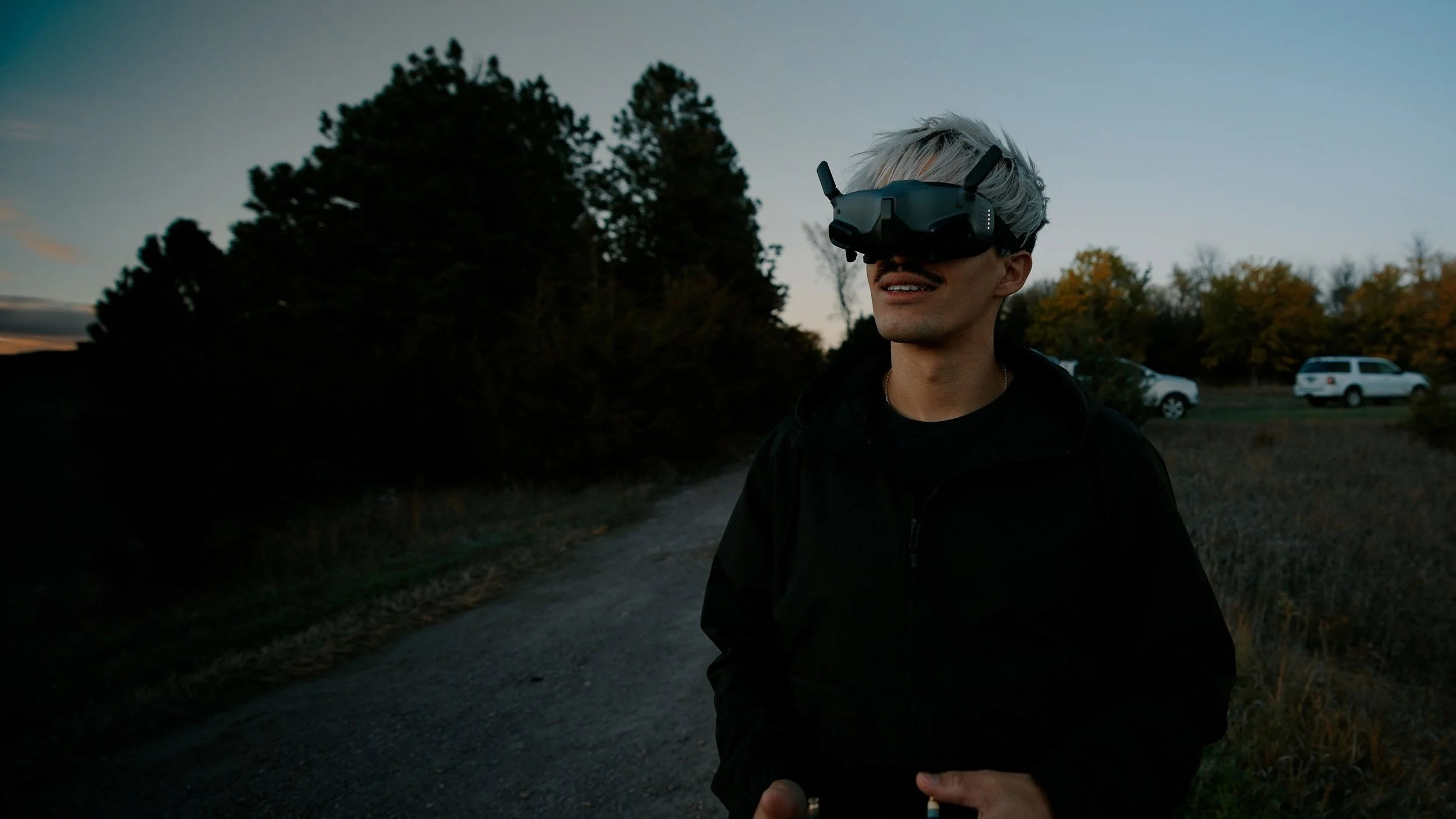
FPV drones look intimidating. They flip, dive, and rip through gaps the size of a doorway at fifty miles an hour. If you have ever watched an FPV reel and thought "there is no way I could do that" — you are not alone, and you are also not entirely right. FPV is harder than flying a DJI, but it is also one of the most rewarding skills you can pick up if you love flying, filmmaking, or both.
This guide is written for the person standing on the edge of the hobby, wondering if it is worth jumping in. Short answer: yes. Long answer is below.
1. Understanding FPV Drones
FPV stands for First Person View. Instead of looking down at a screen on a controller, you wear goggles that show you a live video feed straight from a camera on the front of the drone. You are not watching the drone fly — you are inside it. That perspective is what makes FPV footage feel so immersive, and it is also what makes the learning curve steeper than a standard camera drone.
Unlike a DJI Mavic, most FPV drones have no GPS hold, no obstacle avoidance, and no return-to-home failsafe in acro mode. Every input — pitch, roll, yaw, throttle — is fully manual. If you let go of the sticks, the drone does not hover. It tumbles. That is the price of admission for the cinematic freedom you get in return.
2. Starting with the Basics
Before you spend a dollar on hardware, get familiar with the language of FPV. A few terms that will come up constantly:
- Acro / Rate mode — fully manual, what real FPV is flown in.
- Angle / Self-level mode — beginner mode, drone returns to level when you let go of the sticks.
- Throttle — controls motor speed (lift), almost always the left stick.
- Pitch / Roll / Yaw — the three rotation axes of the drone.
- Cinewhoop — a small, prop-guarded FPV drone built for indoor and close-proximity cinematic work.
- Freestyle / Long-range / Racing — the three main flying disciplines.
Knowing the vocabulary makes every YouTube tutorial, Reddit thread, and Discord conversation about ten times more useful.
3. Choosing the Right Drone
There is a temptation to buy the coolest-looking drone you see in a reel. Resist it. The drones the pros fly are powerful, expensive, and unforgiving. Crashing a $1,200 cinematic build on day one is the fastest way to fall out of love with the hobby.
Start small. Start cheap. Here is the build I recommend for almost every beginner:
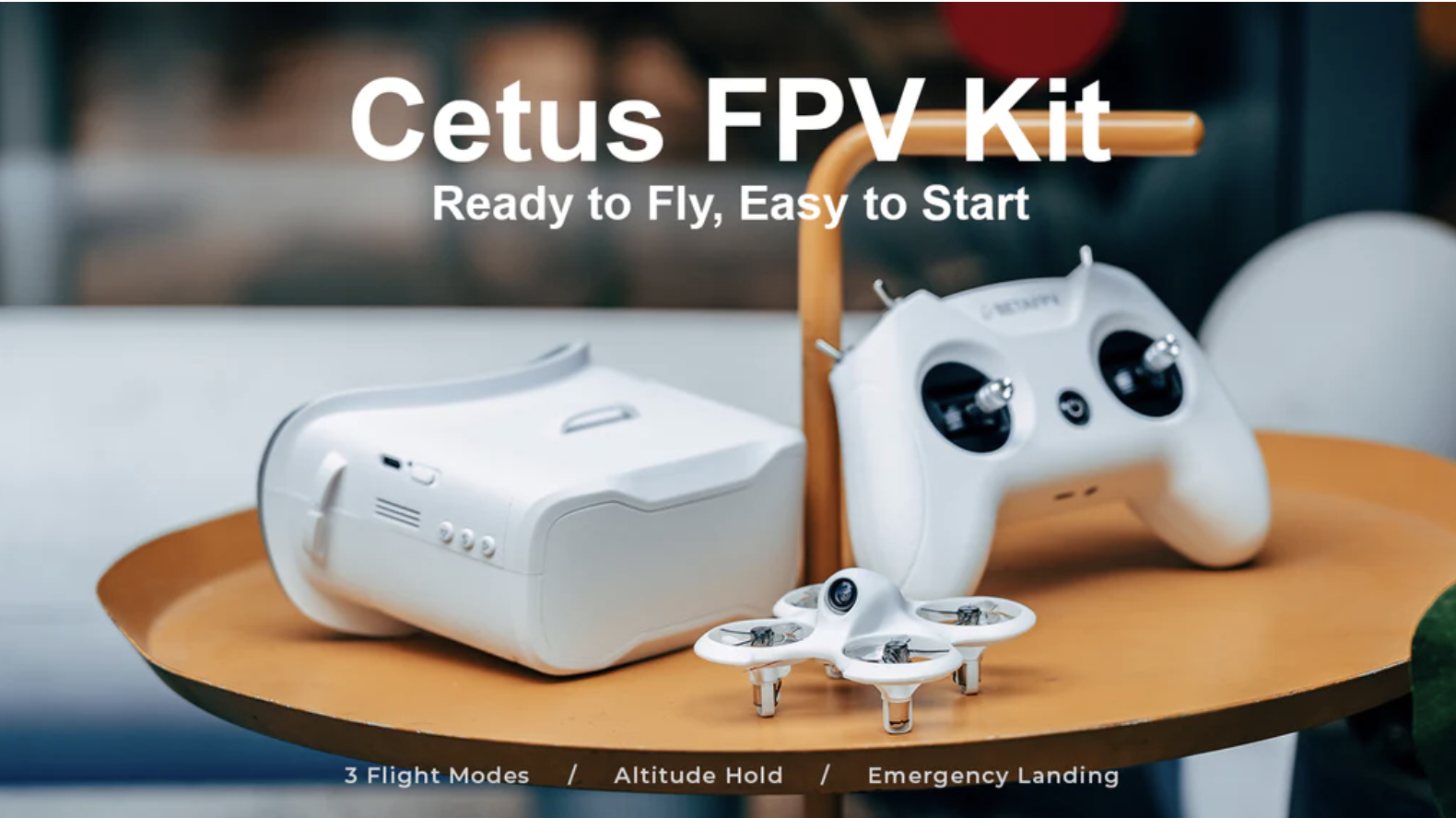
Drone, goggles, and radio in one box. Built-in self-level mode you can switch off as you progress. Cheap parts, near-indestructible frame, and a real path from training to actual freestyle flying.
Once the Cetus is feeling boring (a good sign), the natural next step for anyone who wants to film with their drone (not just rip) is something like the GEPRC Cinebot35 O4 Pro. It carries a real camera (GoPro, Action 5, DJI O4 Air), flies cinematically, and is what a lot of pros actually use on paid shoots.
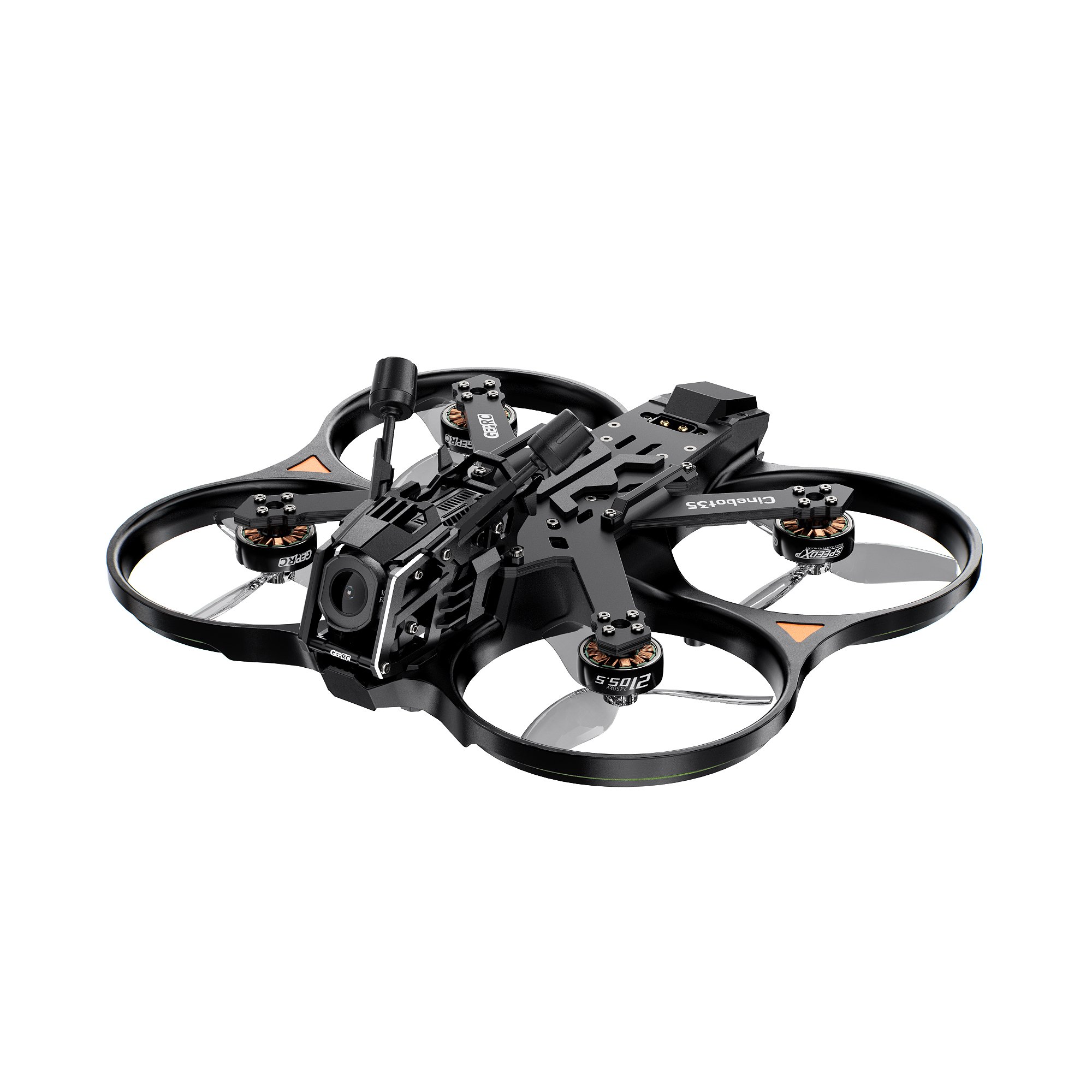
A 3-inch cinematic build that handles real production weight, flies smooth, and looks great on camera. Don't buy this first — buy it second.
4. Simulator Training
This is the single most important piece of advice in this entire guide: fly a simulator before you fly a real drone. Every minute on a sim is a minute you are not crashing a $300 quad into a tree. The muscle memory transfers almost perfectly.
Plug a real radio (or an Xbox controller in a pinch) into your computer, load a sim, and start with the basics — hovering, slow figure-eights, gentle banked turns. The good news is that decent FPV sims are cheap, and one of them is free.
If you only buy one paid sim, Liftoff or Uncrashed are both great for cinematic-style flying. DRL is best if you think you might want to race. DJI Virtual Flight is the easiest free way to check whether the hobby clicks for you at all.
"Spend ten hours in the simulator before you ever take your first real drone outside. Your future drone — and your wallet — will thank you."
5. Mastering the Controls
Most FPV pilots fly Mode 2: throttle and yaw on the left stick, pitch and roll on the right. Don't overthink it — this is the standard, every tutorial assumes it, and switching modes later is painful.
Drill these in order, in the sim:
- Stable hover. Sounds boring. Is hard. Master it.
- Forward flight in a straight line. Add small altitude changes.
- Banked turns. Roll into the turn, add a little yaw and pitch to carve through it.
- Figure-eights around two trees. The bread-and-butter freestyle drill.
- Power loops and split-S. Your first real "FPV" tricks.
If you can fly a smooth, controlled figure-eight around two objects without breaking a sweat, you have most of what you need to start filming.
6. Safety First
FPV is a blast. It is also a five-pound flying object with spinning carbon-fiber blades and unlimited potential to ruin someone's day. Take safety seriously from day one.
- Never fly over people who haven't agreed to it. Crowds, bystanders, traffic — all off-limits without proper waivers.
- Know your airspace. Use the B4UFLY or Aloft app to check restrictions before every flight.
- Get FAA Part 107 if you plan to fly commercially. Required in the U.S. for any paid work, and it isn't hard — most people pass after a weekend of study.
- Always have a visual observer. When you're in goggles, you can't see what's happening around you. A spotter is non-negotiable.
- Carry a fire bag for LiPo batteries. They are lithium. They can vent. Treat them like the small bombs they technically are.
7. The Learning Curve
Here is the honest truth: you will not be flying like the people on YouTube in a week, or a month. Most pilots spend 20+ hours in a simulator before their first real flight, and another 50+ hours of real flying before footage starts looking smooth. That sounds like a lot until you remember that learning to drive a car or play guitar takes a similar curve.
The good news: the early progress is fast and rewarding. Hovering feels impossible until it doesn't. Loops feel impossible until they don't. Each plateau breaks open with a few more focused sim sessions. The pilots who quit are almost always the ones who skipped the sim and crashed their real drone into oblivion in week one.
8. Joining a Community
FPV is, by a wide margin, one of the most welcoming hobbyist communities on the internet. People will help you tune your drone, debug your radio, and rewatch your DVR clips to tell you exactly what you did wrong. Find your people:
- r/fpv on Reddit — beginner questions are welcome.
- FPV Discord servers like Joshua Bardwell's or your local meetup group.
- YouTube — Joshua Bardwell, Le Drib, MrSteele, Mr. Brain Fpv. Watch a lot of these.
- Local meetups — search for "FPV [your city]" on Facebook or Meetup. Flying with other people accelerates everything.
9. Practice, Practice, Practice
There is no shortcut. The pilots who get good are the ones who fly often — sim during the week, real flights on the weekend. Set small, specific goals: "this month I am going to learn a clean power loop." Film yourself and rewatch the footage. The bad clips teach you more than the good ones.
And don't be afraid to crash. Every FPV pilot crashes. It is part of the deal. Buy spare props in bulk, learn to solder, and stop treating each crash like a failure. Treat them like data.
10. Next Step: Choosing Your First FPV Drone
If you have read this far and you're thinking "okay, I'm in," here's the simplest possible path forward:
- Buy a sim — start with DJI Virtual Flight (free) or Liftoff ($19.99).
- Use a real radio if you can. An RadioMaster Pocket (~$70) is a great first transmitter and works with every major sim.
- Put in 10–20 hours in the sim before any real flying.
- Pick up a BetaFPV Cetus kit for your first real drone. Fly it indoors, in a backyard, in a park.
- Once you can rip the Cetus comfortably in acro mode, level up to a GEPRC Cinebot35 O4 Pro with a GoPro and start filming for real.
That's it. That's the whole roadmap. Most people overthink it. Don't.
Are FPV drones hard to fly? Yes. And worth it.
FPV is harder than flying a Mavic. It demands real practice, real patience, and a willingness to crash a few times along the way. But the payoff is one of the most creative, immersive, and genuinely fun things you can do with a camera. If you have ever watched an FPV reel and felt something — that something is real. You can learn this. The path is well-worn, the community is helpful, and the gear has never been more beginner-friendly than it is right now.
Start with a simulator. Build the muscle memory. Pick up a Cetus. The rest takes care of itself.
Want a faster start?
I offer 1-on-1 FPV mentorship for creators who want to skip the months of trial-and-error. Sim coaching, gear recommendations, real-world flight sessions. Drop me a note if you're interested.
Get in Touch